
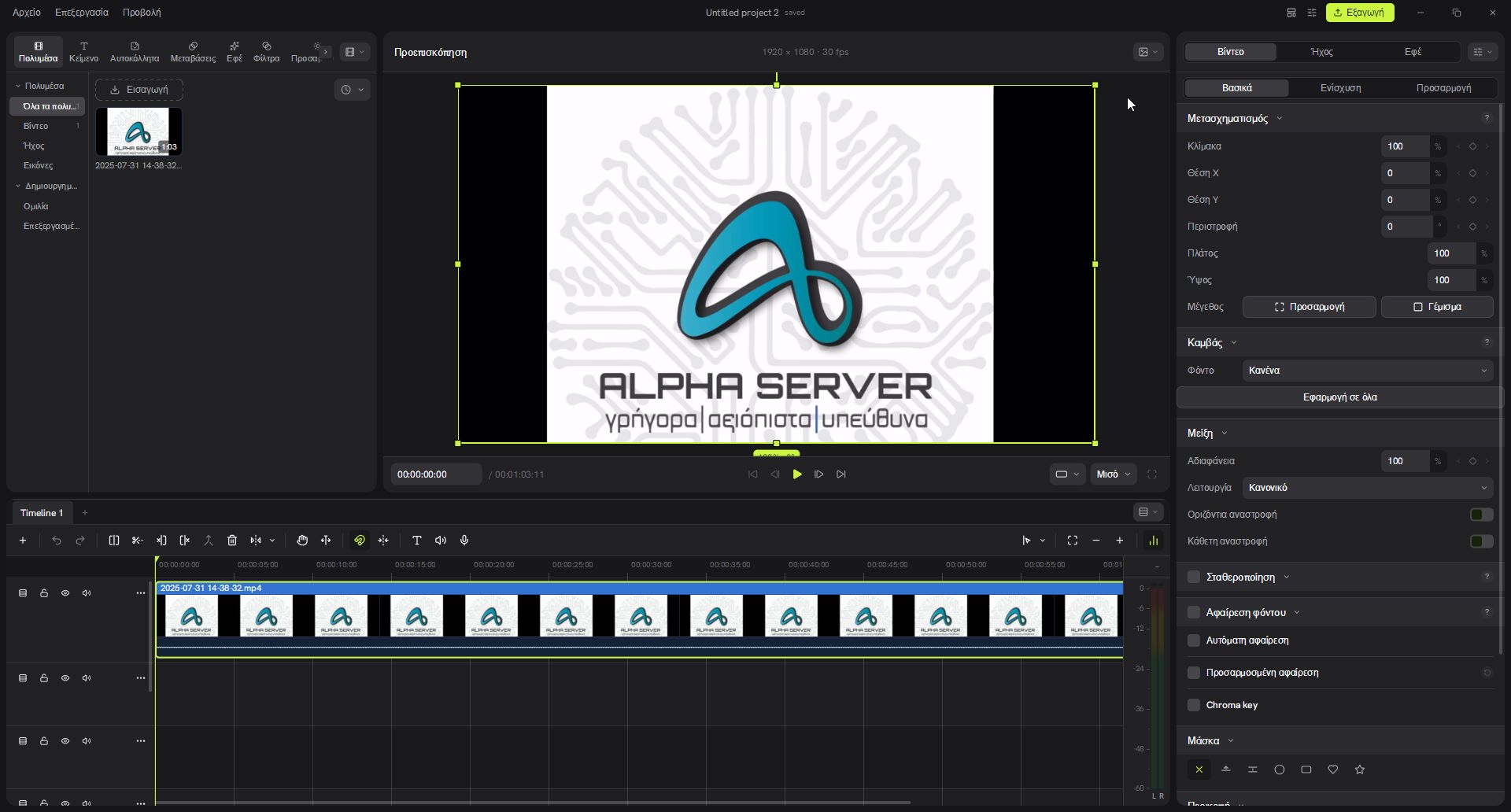
A business introduction, a short social media video, an excerpt from a broadcast or a useful tutorial all need a clear sequence, clean audio and readable text. With Alpha Video Editor, AlphaServer adds a tool for precisely this creative work to its software collection.
The available Windows release combines multitrack editing, titles, effects, transitions, automatic captions and text-to-speech narration. It offers Greek and English interface options and processes your media on your computer.
Put your material in the right order
Start by importing your video, images and audio. Arrange clips on separate tracks, keep the useful moments and adjust the pace of your story. Splitting, trimming, moving, speed changes and freeze frames are available in the same workspace.
You can place music beneath the picture, add titles over a shot and work with multiple timelines in one project. Keyframes animate position, scale and opacity, while the curve editor helps smooth changes over time.
Greek captions without uploading the recording to an AI cloud
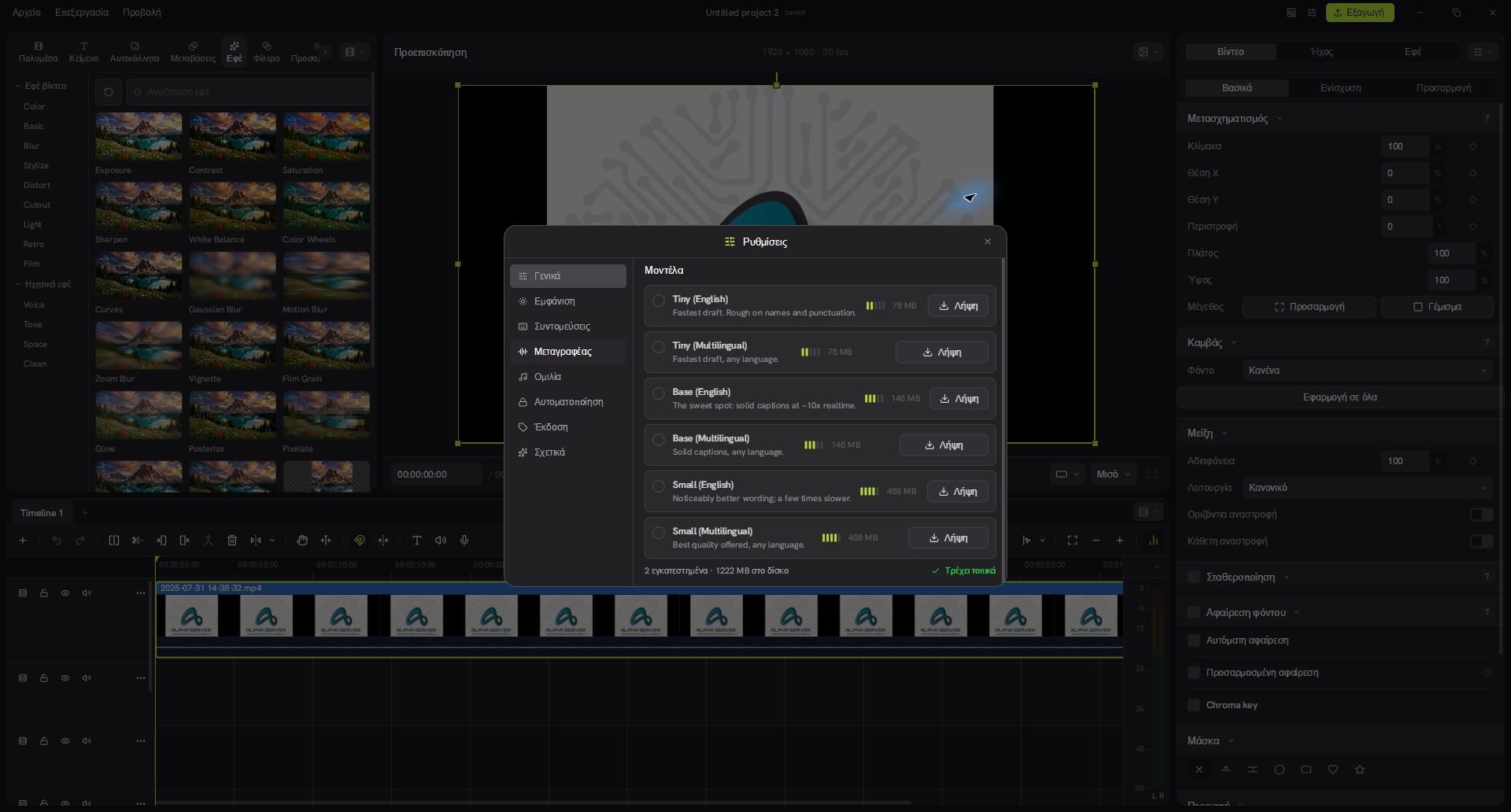
Captions make a video easier to follow, especially when viewers have their sound turned off. Alpha Video Editor uses local Whisper models to recognise speech and create editable captions on the timeline.
For Greek speech, choose a Multilingual model. Tiny, Base and Small let you balance model size against your computer's resources and the time available. After recognition, check names, punctuation and timing, then adjust the appearance. As with any automatic transcription, the original audio quality affects the result.
Give your script a voice
For introductions, explanations and voiceovers, the editor includes local speech synthesis options. Chatterbox Turbo, Pocket TTS and Kokoro provide different voices and controls depending on the model. Where supported, you can use a reference voice recording that you are authorised to use.
Colour, movement and sound that support your message
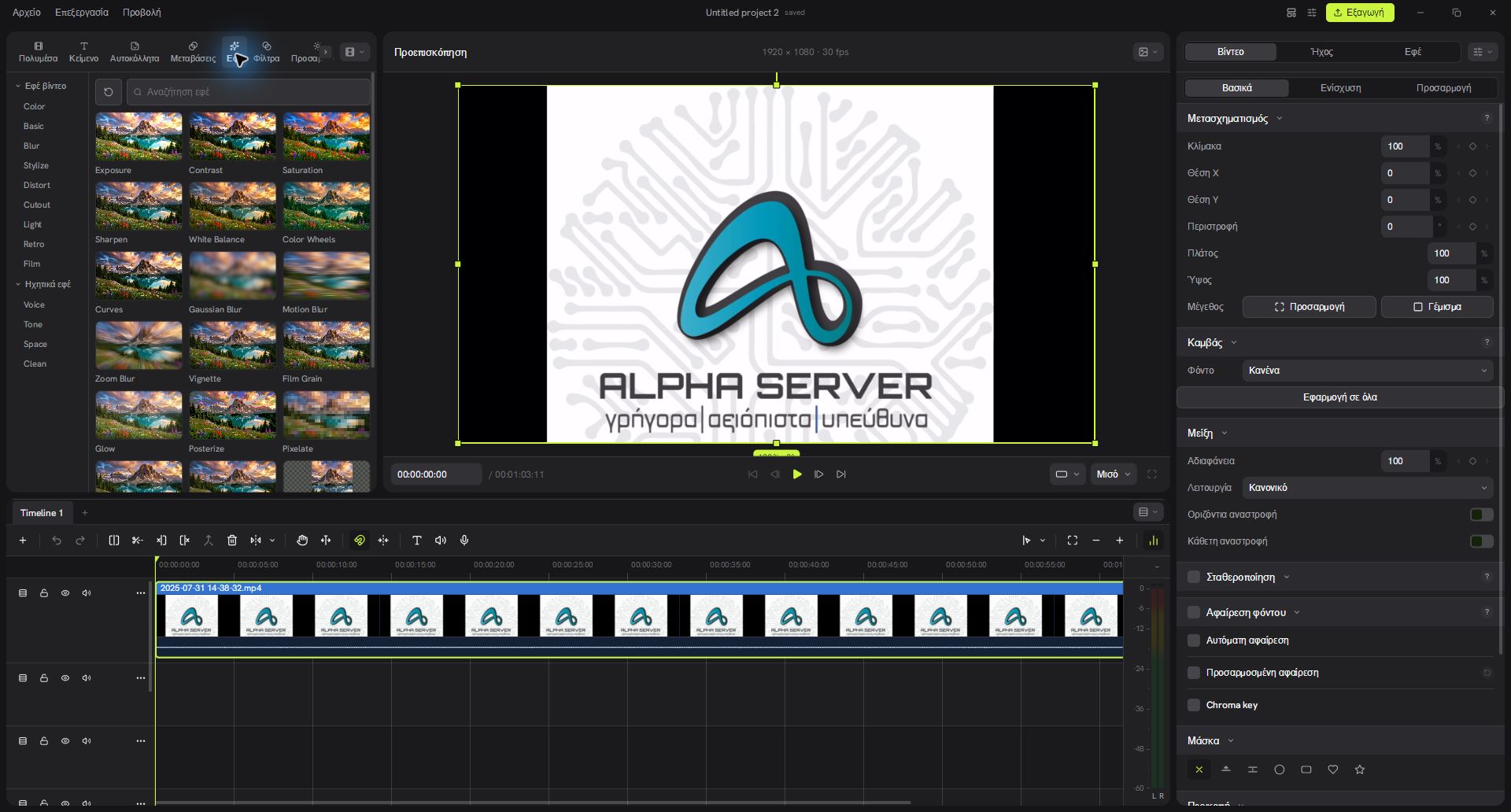
The built-in catalogue includes 80 visual effects and filters, 22 transitions and 25 audio effects. Correct exposure and white balance, adjust colour with curves and colour wheels, or create a different look with blur, glow, grain and cinematic styles.
For titles, adjust the font, colour, outline, shadow and background to keep text readable over your footage. Masks, chroma key, stabilisation and background removal options with optional local models are also available. Audio cleanup and level controls help speech stand out.
An everyday example: a video for your business
- Choose the frame. Landscape for YouTube and presentations, or portrait for Reels and Shorts.
- Keep the right moments. Arrange your shots, trim waiting time and add a clear introduction.
- Add the message. Include a title, Greek captions and your own recorded narration where needed.
- Review sound and picture. Balance music and speech, keep transitions consistent and watch the video from the beginning.
- Export the final file. Choose a resolution, frame rate and bitrate that suit the destination.
Local work, with options up to 4K
The application exports MP4 with H.264, HEVC and AV1 options depending on encoder availability. Resolutions up to 4K and frame rates up to 60 fps are available, without an editor watermark when using an active licence. Speed depends on hardware, drivers, media and effects. Lower preview quality and proxies help with demanding projects.
Video, audio and AI processing run locally. Internet access is required for activation, model downloads, updates and periodic licence validation. The last verified licence allows temporary offline work for up to 72 hours. The current Alpha release is for Windows 10 build 19041 or newer and Windows 11, on x64 computers.
How to get Alpha Video Editor
The price is €100 + VAT, paid once for one computer, with no recurring licence subscription. Select Buy now on the product page and sign in or create an AlphaServer customer account.
Purchases use the existing payment methods, PayPal and Revolut/card. VAT and any payment fees are shown before confirmation. Once payment is confirmed, your activation key and installation are available in your service details.
The full product page includes all features, the complete effects catalogue, real screenshots, requirements and frequently asked questions. Explore how the editor fits your own work before choosing it.
Your next video, with your own signature.
Meet Alpha Video Editor and explore its tools for picture, audio and captions.
Explore Alpha Video Editor →Alpha Video Editor is developed and supported by AlphaServer based on Concat under AGPL-3.0-or-later. Applicable licences and third-party notices are included with the application.